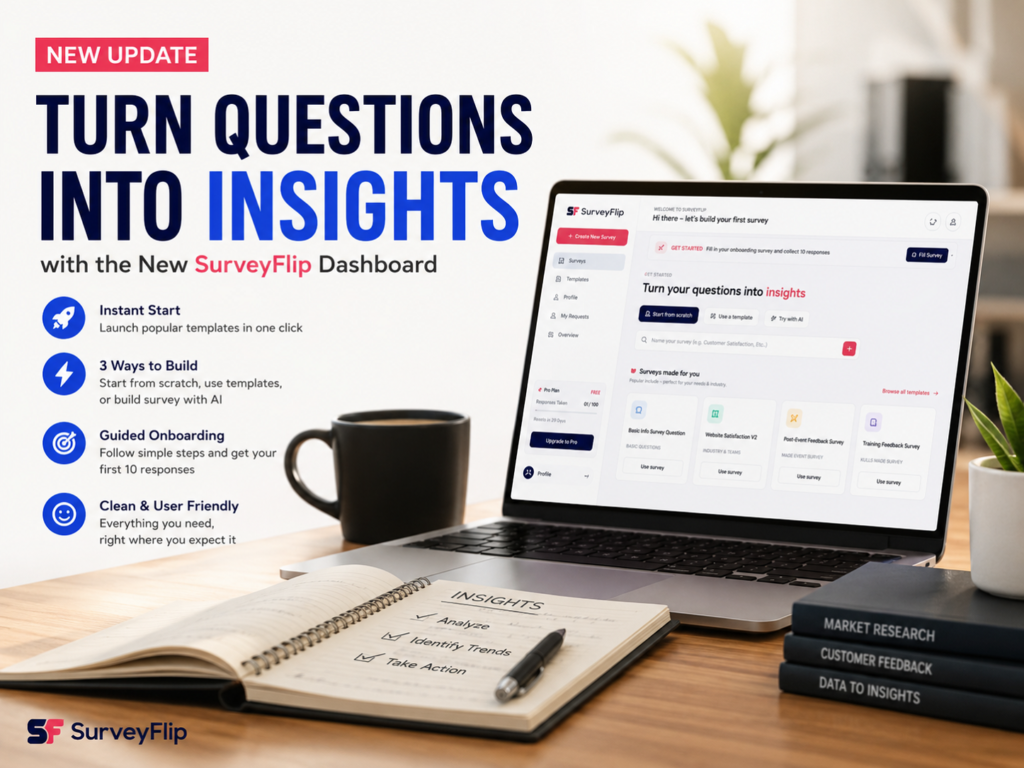
Businesses collect more feedback than ever before. But collecting responses is only half the battle. The real challenge is transforming survey answers into meaningful insights that improve products, customer experiences, and business decisions.
That is exactly why modern survey platforms are evolving.
Instead of forcing users to start with a blank page and complicated workflows, the new SurveyFlip dashboard was designed to make survey creation simple, intuitive, and insight-driven from day one.
In this guide, you’ll learn how to move from questions to actionable insights using one of the best survey software for market research available today.
Why Survey Insights Matter More Than Survey Responses
Many organizations focus heavily on collecting responses.
But responses alone do not create value.
Insights do.
Insights help businesses:
- Understand customer pain points
- Identify product opportunities
- Improve employee experiences
- Reduce churn
- Increase customer satisfaction
- Make data-driven decisions
The problem is that many survey platforms make the process unnecessarily difficult.
Users often encounter:
❌ Blank dashboards
❌ Confusing navigation
❌ Complex setup processes
❌ Too many unnecessary features
This friction frequently prevents businesses from gathering quality feedback.
Introducing the New SurveyFlip Dashboard
SurveyFlip was redesigned around one simple principle:
Turning questions into insights should feel effortless.
The dashboard focuses on simplicity, speed, and usability.
Instead of overwhelming users, it provides clear guidance and multiple ways to build surveys based on experience level.
Step 1: Start with a Clear Goal
Before creating any survey, ask:
What decision am I trying to make?
Examples include:
- Measuring customer satisfaction
- Testing product-market fit
- Understanding employee engagement
- Evaluating event success
- Collecting website feedback
Defining the objective first makes survey creation significantly easier.
Step 2: Choose the Best Way to Build Your Survey
One of the biggest improvements in SurveyFlip is flexibility.
Users can choose from three different methods.
Build Surveys From Scratch
Ideal for:
- Advanced researchers
- Custom questionnaires
- Academic studies
- Detailed market research projects
Starting from scratch provides complete control over:
- Questions
- Logic
- Branding
- Survey flow
Use Ready-Made Templates
Templates dramatically reduce setup time.
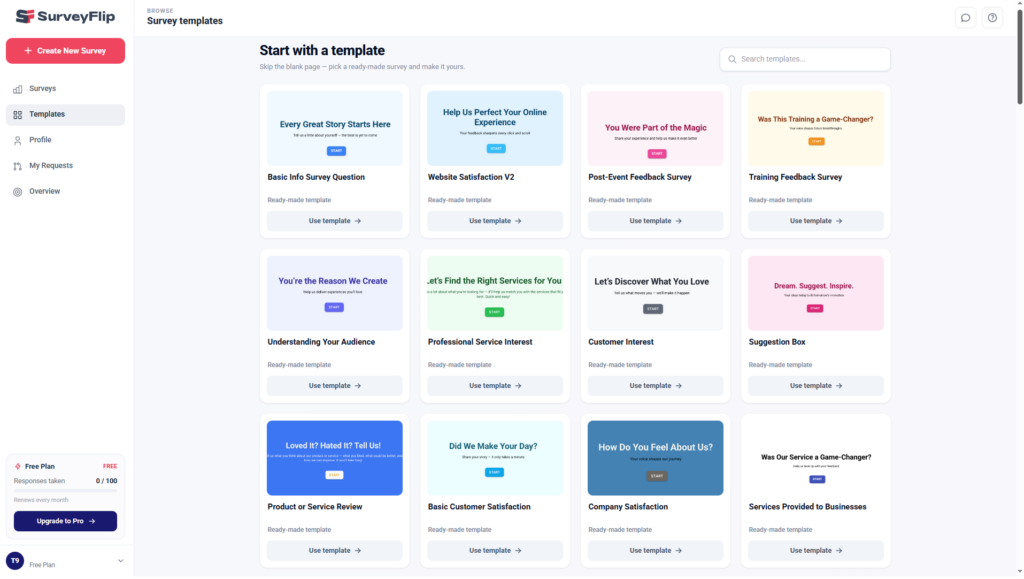
SurveyFlip provides various free online survey templates for beginners, including:
- Customer Satisfaction Surveys
- Website Feedback Surveys
- Event Feedback Surveys
- Employee Engagement Surveys
- Product Feedback Surveys
Templates are particularly useful because they already follow survey best practices.
Benefits include:
✅ Faster launch
✅ Better question structure
✅ Higher completion rates
✅ Less survey design experience required
Build Survey with AI
Artificial intelligence is transforming survey creation.
Users can now simply describe what they need.
Examples:
- Create a restaurant feedback survey
- Generate an employee engagement survey
- Build a market research questionnaire
The AI instantly generates:
- Survey structure
- Question recommendations
- Survey flow suggestions
For businesses that need speed, this feature can save hours.
Step 3: Select the Right Questions
Survey quality depends on question quality.
The dashboard encourages users to focus on:
Customer Satisfaction Questions
Examples:
- How satisfied are you with our service?
- How easy was it to accomplish your goal?
- What could we improve?
Market Research Questions
Examples:
- Which features matter most?
- How often do you use similar products?
- What problem are you trying to solve?
Product Feedback Questions
Examples:
- Which feature do you use most?
- What challenges are you experiencing?
- Which improvements would provide the most value?
Asking focused questions creates better insights.
Step 4: Keep Surveys Short and User Friendly
A major reason surveys fail is poor user experience.
SurveyFlip was intentionally designed as a user friendly survey tool.
Research consistently shows:
- Surveys under 2 minutes achieve significantly higher completion rates.
- Mobile-friendly surveys perform much better than long desktop-only forms.
Best practices include:
✅ Use simple language
✅ Avoid unnecessary questions
✅ Limit open-ended responses
✅ Maintain logical question flow
✅ Optimize for mobile devices
Step 5: Use Onboarding Milestones
One of the most unique elements of the new dashboard is guided onboarding.
Instead of leaving users confused, SurveyFlip provides:
- Clear starting steps
- Survey completion milestones
- Progress guidance
- Early response goals
This significantly reduces setup friction.
New users can quickly collect their first responses and immediately begin learning from data.
Step 6: Collect Responses
Survey distribution should be simple.
SurveyFlip supports multiple distribution methods:
Email Sharing
Send surveys directly to customers.
Website Embedding
Collect feedback directly on your website.
Social Media Distribution
Reach broader audiences quickly.
Shareable Links
Perfect for customer communities and online groups.
Effective distribution increases response quality and quantity.
Step 7: Analyze Responses
This is where real value begins.
The purpose of surveys is not collecting answers.
It is discovering patterns.
SurveyFlip helps users identify:
- Satisfaction trends
- Customer frustrations
- Product opportunities
- Behavioral patterns
- Segmentation insights
Instead of manually reviewing spreadsheets, users can immediately focus on decision-making.
How to Turn Survey Questions into Insights
Turning questions into insights requires asking:
What story does the data tell?
Examples:
Insight Example 1
Question:
How easy was onboarding?
Finding:
Most users rated onboarding poorly.
Insight:
Onboarding complexity may be causing churn.
Action:
Improve onboarding experience.
Insight Example 2
Question:
Which feature do you use most?
Finding:
Most customers rely heavily on one feature.
Insight:
This feature represents core product value.
Action:
Invest more resources into improving it.
Insight Example 3
Question:
What almost stopped you from purchasing?
Finding:
Pricing confusion appeared repeatedly.
Insight:
Messaging around pricing may be weak.
Action:
Improve pricing communication.
This process demonstrates how to turn survey questions into insights that directly improve business performance.
Why SurveyFlip Works for Market Research
Modern market research requires speed and simplicity.
SurveyFlip combines:
✅ AI-powered survey generation
✅ Template-based workflows
✅ User-friendly onboarding
✅ Mobile optimization
✅ Simple survey distribution
✅ Fast response collection
This makes it one of the best survey software for market research available today.
Benefits of the New SurveyFlip Dashboard
Faster Survey Creation
Users can build surveys in minutes.
Lower Learning Curve
The dashboard feels intuitive even for beginners.
Better User Experience
Clean navigation reduces friction.
More Actionable Insights
The platform focuses on decisions, not just data.
Suitable for Beginners and Experts
Templates and AI simplify onboarding while advanced features still provide flexibility.
Who Should Use SurveyFlip?
SurveyFlip works particularly well for:
Startups
Quick customer feedback collection.
SaaS Companies
Product research and user satisfaction.
Agencies
Client research projects.
Market Researchers
Data collection and analysis.
Small Businesses
Simple, affordable survey creation.
Enterprise Teams
Continuous customer feedback programs.
Best Practices for Creating Better Surveys
- Start with an objective.
- Use templates when possible.
- Keep surveys short.
- Write simple questions.
- Optimize for mobile users.
- Focus on actionable feedback.
- Review open-ended responses carefully.
- Turn findings into decisions.
Final Thoughts
Survey software should not feel overwhelming.
The new SurveyFlip dashboard was built around one idea:
Questions should naturally lead to insights.
Whether you want to start from scratch, use templates, or build survey with AI, SurveyFlip makes feedback collection significantly easier.
If your goal is finding an intuitive, modern, and user friendly survey tool, SurveyFlip provides everything needed to move from simple questions to meaningful business decisions.
Because great surveys do not simply collect data.
They uncover opportunities.
Frequently Asked Questions (FAQs)
1. What is SurveyFlip?
SurveyFlip is an AI-powered online survey platform that helps businesses, researchers, and organizations create surveys, collect responses, and turn feedback into actionable insights through an easy-to-use dashboard.
2. Is SurveyFlip suitable for beginners?
Yes. SurveyFlip was designed specifically to reduce the learning curve associated with traditional survey software. Users can start with templates, create surveys with AI, or build from scratch depending on their experience level.
3. Can I build surveys using AI?
Absolutely. SurveyFlip allows users to simply describe the type of survey they need, and the AI generator creates survey questions and structures automatically. This feature is especially useful for users who want to build survey with AI and save time.
4. Does SurveyFlip offer free online survey templates?
Yes. SurveyFlip provides multiple free online survey templates for beginners, including:
- Customer Satisfaction Surveys
- Website Feedback Surveys
- Event Feedback Surveys
- Employee Engagement Surveys
- Product Feedback Surveys
- Market Research Surveys
5. Why are survey insights more important than survey responses?
Responses are raw information. Insights explain what those responses mean and help businesses make informed decisions. Turning survey questions into insights enables organizations to improve products, services, and customer experiences.
6. What makes SurveyFlip one of the best survey software for market research?
SurveyFlip combines:
✅ AI survey generation
✅ Beginner-friendly templates
✅ Mobile optimization
✅ Easy survey distribution
✅ Clean dashboard design
✅ Fast onboarding process
These features make it highly effective for conducting modern market research projects.
7. How long should a survey be?
Most successful surveys take less than 2–3 minutes to complete. Shorter surveys generally achieve higher response and completion rates.
8. Is SurveyFlip mobile friendly?
Yes. SurveyFlip surveys are optimized for mobile devices to ensure a seamless experience for respondents on smartphones and tablets.
9. Can I customize surveys?
Yes. Users can customize:
- Questions
- Branding
- Survey themes
- Logic and flow
- Distribution methods
This flexibility makes SurveyFlip suitable for both simple feedback forms and advanced research projects.
10. How can I distribute surveys?
SurveyFlip supports several survey distribution methods, including:
- Shareable survey links
- Email invitations
- Website embedding
- Social media sharing
- QR code distribution
11. How does SurveyFlip help improve response rates?
The platform improves response rates by providing:
- User-friendly survey interfaces
- Mobile-first experiences
- Ready-made templates
- Better onboarding
- AI-generated question suggestions
Reducing friction encourages more users to complete surveys.
12. Can SurveyFlip be used for customer feedback surveys?
Yes. SurveyFlip is ideal for:
- Customer satisfaction surveys
- Net Promoter Score (NPS) surveys
- Product feedback collection
- Customer experience research
- Churn prevention feedback programs
13. Is SurveyFlip suitable for businesses of all sizes?
Yes. SurveyFlip can be used by:
- Startups
- Small businesses
- SaaS companies
- Marketing agencies
- Researchers
- Enterprise organizations
14. How do I turn survey data into actionable insights?
To turn survey responses into insights:
- Identify patterns and trends.
- Review open-ended feedback.
- Segment responses by customer groups.
- Connect findings to business goals.
- Prioritize actions based on recurring themes.
SurveyFlip simplifies this process by helping users focus on meaningful feedback instead of raw data.
15. Why is user experience important in survey software?
Poor survey experiences often result in:
❌ Lower completion rates
❌ Response fatigue
❌ Inaccurate feedback
A clean and intuitive interface encourages respondents to finish surveys and provide better quality data. This is why SurveyFlip focuses heavily on being a user friendly survey tool and delivering a smooth experience from the very first login.